Watchlist Feed
Premium users can additionally have feeds, where important character and guild changes are announced for any entry in their watchlists.
Requirements
- The server must have Premium.
- Watchlist feeds extend Watchlists; create a watchlist before adding a feed.
- NabBot needs Manage Channels and Manage Webhooks in the feed channel.
To create a feed, use /watchlist-feed add. You can either let NabBot create a new feed channel for you, or assign an existing channel.
Once a feed is created, it will automatically start posting announcements for all entries, with all announcement types enabled by default.
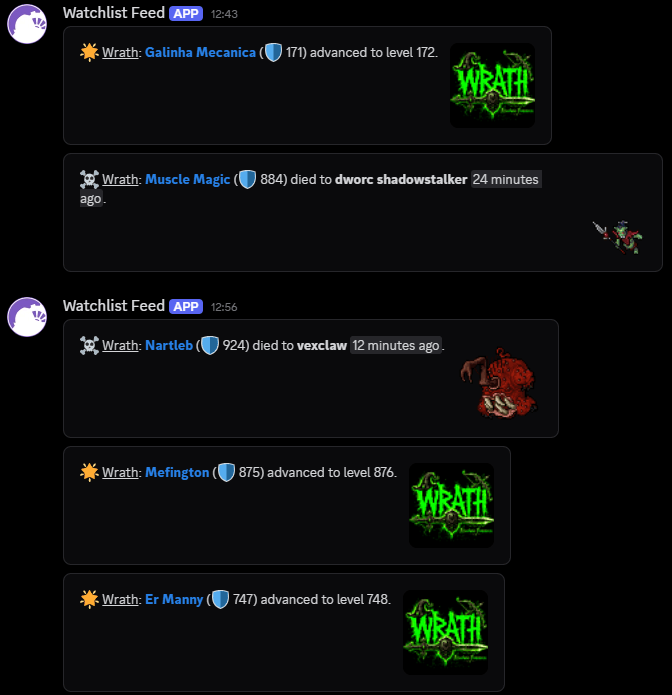
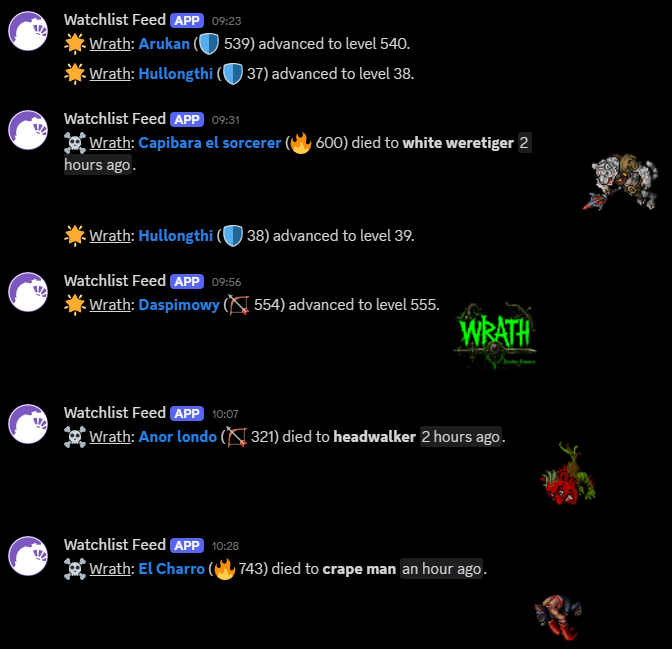
You can later change its settings with /watchlist-feed edit. This lets you choose which events should be announced and whether creature images should be shown on PvE deaths.
If you no longer want a feed, use /watchlist-feed remove.
Announced changes
You can choose exactly which of these events each feed should announce. Guild entries announce these same events for guild members.
- ☠️ PvE deaths
- 💀 PvP deaths1
- 🗡️ PvP kills2
- 🌟 Level ups
- 🌐 Transfers to another world
- 📇 Name changes
- 📥 Joining a guild
- 📤 Leaving a guild
- 💰 Bazaar trades
Style Options
You can customize the style of your feed with /watchlist-feed edit.
Show creature images
Whether to show creature images for PvE deaths.
Show guild logo
Whether to show the guild's logo for characters from a watched guild. This is useful if you're watching multiple guilds, as you can easily identify which guild a character belongs to.
If creature images are also enabled, the creature image will be shown instead.
Use container
Whether to show a box around each message in the feed, instead of plain text. This is recommended when the image options are enabled, as it makes the separation between messages clearer.