Daily Status Channel
Premium users can set a Daily Status channel where a new message is automatically posted on every server save, summarizing all the information relevant to the day.
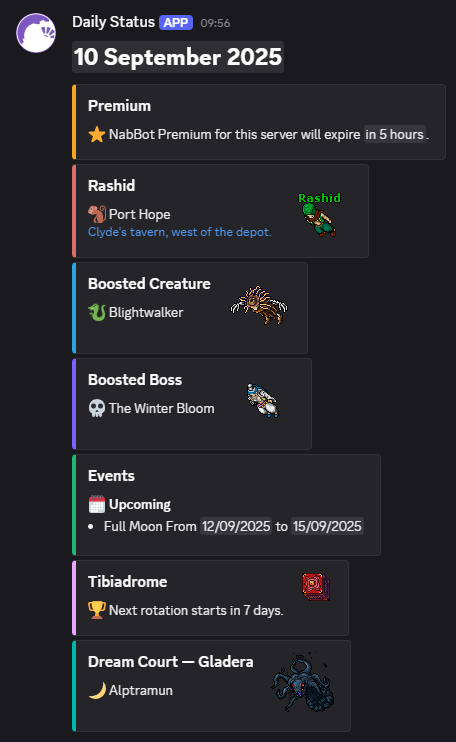
Example daily status message
-
⭐ Premium Reminder
Alerts when NabBot Premium for the server is close to expiring. -
📍 Rashid's Location
Daily city and position. -
🐍 Boosted Creature
Which creature has increased spawn rate, loot rate and yields more experience today. -
🐉 Boosted Boss
Which boss has increased loot rate and counts as more kills today. -
📅 Events
Active and upcoming Tibia events. -
🏆 Tibiadrome
Reminder when a new rotation is close to starting. -
🌙 Dream Court Boss
The boss currently available in Dream Court.
Setup
- Make sure the server has Premium.
- Choose a channel where NabBot has Manage Webhooks permission.
- Use
/daily-status setand select that channel.
NabBot posts the first update at the next server save. Running the command again lets you replace the configured channel after confirmation. Use /daily-status check if an update is missing; it checks the Premium status, configured channel, and webhook connection. Use /daily-status remove to stop announcements.